2025. 4. 17. 15:41ㆍCoding Study/React
1. Tailwind CSS 란 ?
Tailwind CSS 는 가장 대표적인 Utility-First CSS 프레임워크이다.
Utility-First 란 미리정의된 CSS 클래스들을 필요할 때마다 가져다 쓰는 방식
예를 들어 p-4 , text-blue-600, flex 등의 클래스를 HTML 에 추가하는 것만으로 스타일을 바로 적용할 수 있다.
CSS 코드를 직접 작성 하지 않고, Class 이름도 안지어도 되기때문에 속도와 생산성 에서 장점이 있다.
2. Tailwin CSS 설치 ( React + Vite 기준)
1) Tailwin CSS 설치
npm install tailwindcss @tailwindcss/vite
2) vite.config.js 파일의 plugin 에 tailwindcss() 추가
import { defineConfig } from 'vite'
import react from '@vitejs/plugin-react'
import tailwindcss from '@tailwindcss/vite' // 테일윈드 import

// https://vitejs.dev/config/
export default defineConfig({
  plugins: [react(), tailwindcss(),],  // 테일윈드 추가
})
3) css 파일에 테일 윈드 import
@import "tailwindcss";
< 테일윈드 공식 홈페이지 설치 방법 참조 >
https://tailwindcss.com/docs/installation/using-vite
Installing with Vite - Installation
Integrate Tailwind CSS with frameworks like Laravel, SvelteKit, React Router, and SolidJS.
tailwindcss.com
🧩 VS Code 설정 팁
< 자동완성 확장프로그램 : Tailwind CSS IntelliSense >
자동완성과 문법 하이라이팅 지원


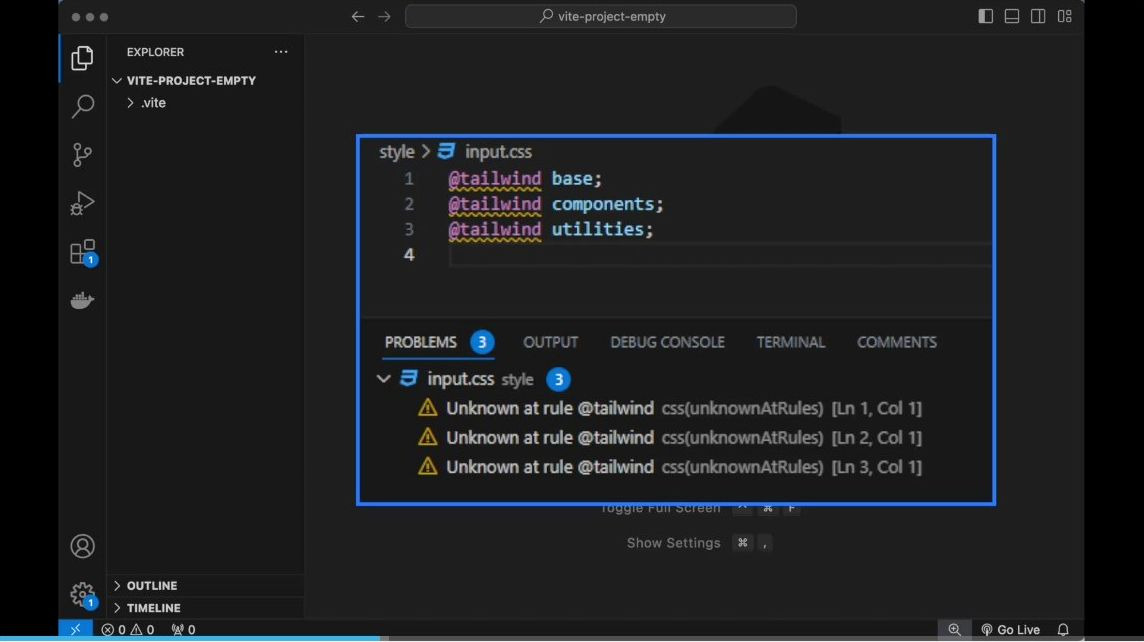
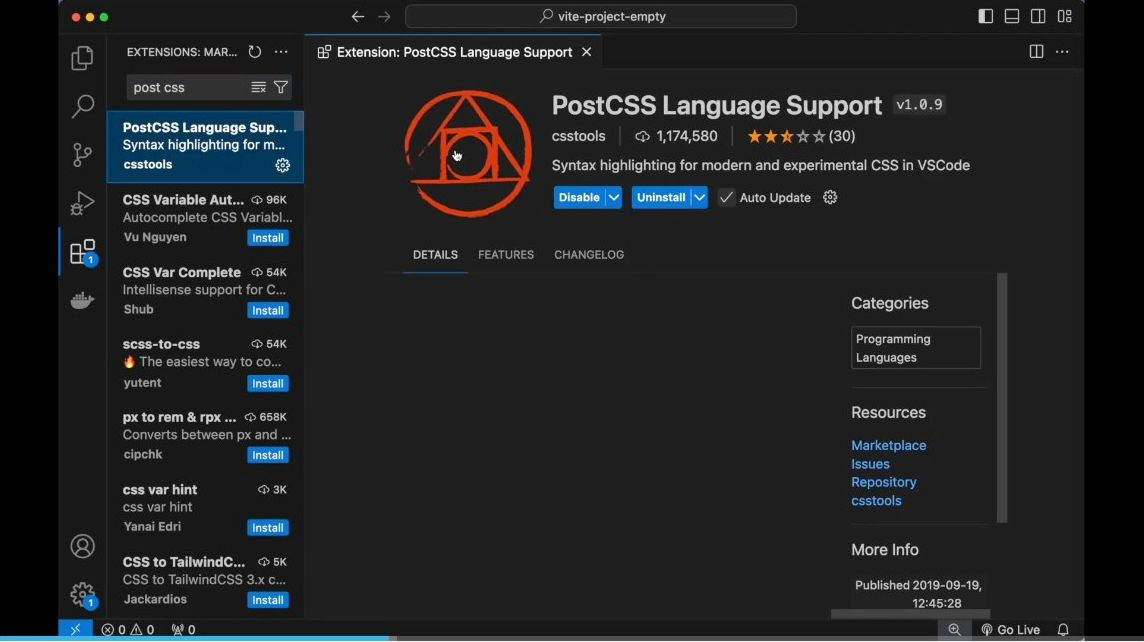
< @tailwind 문법 지원 : PostCSS Language Support >
3. 실제 사용 예시
클래스명만으로 폰트 크기, 색상, 정렬, 높이 등 다양한 스타일을 적용 할 수 있다.
지정된 클래스명을 확인하고 싶다면 테일윈드공식 홈페이지 에서 찾아서 작성하면 된다.
export default function App() {
  return (
    <div className="flex justify-center items-center h-screen"> // 클래스명에 작성
      <div className="text-5xl text-blue-600">
        안녕하세요
      </div>
    </div>
  );
}
4. 커스터마이징
정해진 클래스만 사용할 수 있는 건 아니고 아래와 같이 지정하여 적용도 가능하다.
<div className="text-[rgb(100,200,50)]">
  커스텀 컬러 텍스트
</div>
폰트 크기, 여백 , 높이 등도 지정할 수 있다.
<div className="text-[48px] w-[700px] h-[300px] bg-[#222]">
  직접 입력한 크기와 색상
</div>
Tailwind CSS - Rapidly build modern websites without ever leaving your HTML.
Tailwind CSS is a utility-first CSS framework for rapidly building modern websites without ever leaving your HTML.
tailwindcss.com
테일윈드 CSS 속성 정리 사이트 👉https://www.creative-tim.com/twcomponents/cheatsheet
Tailwind CSS CheatSheet for Beginners and Not Only
Find quickly all the class names and CSS properties with this interactive cheat sheet. The only Tailwind CheatSheet you will ever need!
www.creative-tim.com
6. Tailwind Merge
테일윈드 머지란 ? Tailwind CSS 클래스들을 자동을 병합하고 불필요한 중복을 제거해주는 유틸리티 라이브러리로
이를 통해 더 깔끔하고 유지보수하기 쉬운 코드 작성 가능
<설치방법>
npm install tailwind-merge
아래와 같이 클래스를 조건부로 추가 하는 경우 문제점
1) 코드가 복잡해짐
2) 조건부에서 나중에 선언된 text -green- 500 과 text-blue-500 이 앞에 선언된 text-stone -800 과 동시선언될 경우
우선순위가 명확하지 않음.
<p className={`text-stone-800 ${count >= 5 ? 'text-green-500' : ''}
                              ${count >= 50 ? 'text-blue-500' : ''}`}
                              >
                              {count}
</p>
조건부 앞쪽은 기본 스타일을 지정하고 뒷부분에 조건부를 적용하여 작성 가능
<div
          className={twMerge(
            "text-stone-800 bg-cyan-300 w-[200px] h-10 flex justify-center items-center rounded-lg",
            counter >= 5 && "bg-orange-400",
            counter >= 50 && "bg-amber-400",
            counter >= 500 && "bg-lime-400",
            counter <= -5 && "bg-sky-400",
            counter <= -50 && "bg-pink-400",
            counter <= -500 && "bg-green-400"
          )}
        >
아래와 같이 동일한 속성을 작성할 경우 뒤에 선언된 클래스를 우선하여 적용하고 나머지는 제거
twMerge("text-red-500 text-blue-500")
7. 테일윈드 유틸리티 클래스 자동 정렬
prettier 확장 프로그램에 Tailwind 전용 플러그인 설치
npm i -D prettier prettier-plugin-tailwindcss
root 디렉토리에 .prettieric 파일 생성 후 아래코드를 복사해서 붙여 주면 자동정렬이 된다.
{
  "plugins": ["prettier-plugin-tailwindcss"]
}
'Coding Study > React' 카테고리의 다른 글
| Redux ToolKit (0) | 2025.04.22 |
|---|---|
| 전역상태 관리 Redux (0) | 2025.04.22 |
| Styled Component-React 에서 스타일링하기 2 (1) | 2025.04.17 |
| SCSS - React 에서 스타일링 하기 (1) | 2025.04.15 |
| Custom Hook (0) | 2025.04.11 |